Effects that follow the form.
Neon edges, liquid, lasers, and light sweeps follow your mapped geometry.
 Rayntra™
PROJECTION MAPPING. REIMAGINED.
A wall. A sculpture. An entire room.
Turn the world around you into your next canvas.
14 days. Every feature. Card required · Cancel before renewal.
01 / YOUR CREATIVE CONTROL ROOM
Map your surfaces, build your scenes, and send your visuals to the projector. Everything you need to shape the show, in one place.
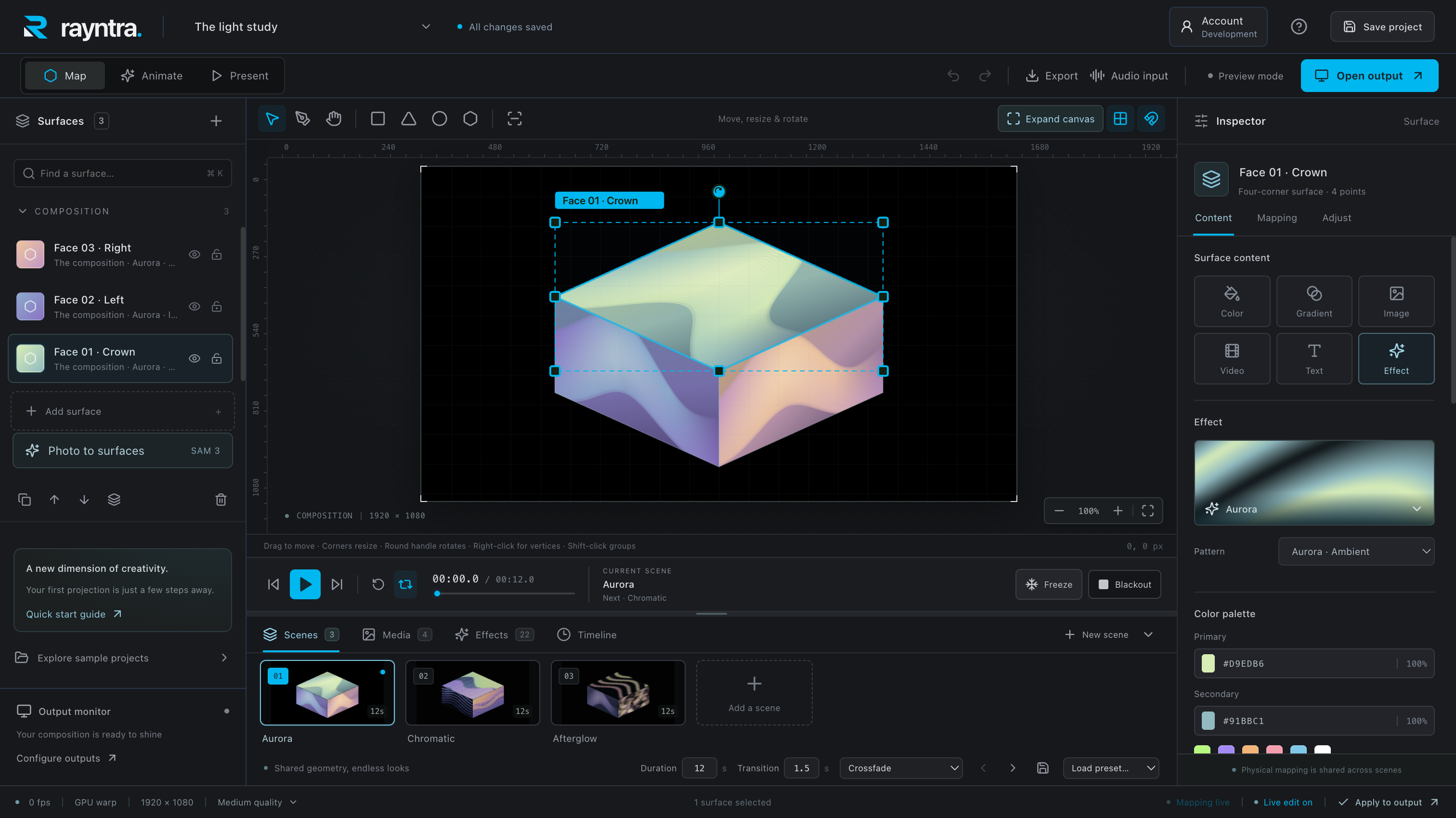
Draw surfaces, adjust corner points, and warp a mesh until your visuals fit the object in front of you.
Layer videos, images, text, and live effects. Build scenes with transitions and animation.
Send clean output to your projector. Keep the controls on your screen and your show on theirs.
02 / FROM IDEA TO AFTER DARK
Start with the shape of your space.
Make something only you could make.
Connect a projector, choose its display, and draw the surfaces you want to bring to life.
Drop in your media or start with a built-in effect. Give every surface its own layers and movement.
Preview your scene, hit play, and adjust as you go. Save your project to pick up right where you left off.
BUILT FOR YOUR FLOW
Neon edges, liquid, lasers, and light sweeps follow your mapped geometry.
Connect an audio source and make supported effects react to the music.
Project files and media stay local. Save portable projects and take your work with you.
Create locally. Perform with confidence. Internet is required for initial sign-in and activation. Verified access supports up to seven days offline, within your access period.
03 / YOUR NEXT GREAT SHOW
The full studio. Every creative tool.
No feature tiers to work around.
Already have a Prismap account? Use the same email and existing subscription in Rayntra.
RAYNTRA STUDIOFULL ACCESSUSD · Billed monthly after your trial. Plus applicable taxes.
Choose your plan and add a card in the desktop app. Renews automatically after 14 days at the selected price. Cancel in Account → Manage billing before the trial ends to avoid a charge. One trial per account.
A LITTLE MORE CLARITY
A compatible computer and a projector connected as another display. Start with a simple object or wall. You can also explore sample projects before connecting a projector.
The first Rayntra Mac preview is available as a local review build. Public download links will appear here when distribution is ready. The Mac preview is unsigned and has not been notarized. Windows packaging is configured; a Rayntra Windows installer has not yet been published.
Sign in to the desktop app, choose monthly or annual billing, and complete card setup in secure Stripe Checkout. The 14-day full-feature trial starts after card setup. Your plan renews automatically unless you cancel before the trial ends. Downloading or signing in does not start the trial. Accounts that have already used their shared trial are not eligible for another.
Yes. Rayntra shares accounts, subscription access, and billing with Prismap. Sign in with the same email. Activating Rayntra uses a slot in the same two-computer allowance. Billing pages and sign-in emails may still display Prismap.
Rendering and project editing run locally. Initial sign-in and activation require internet. A verified local license supports up to seven days offline, bounded by your trial or paid access deadline. Check your offline deadline in Account before a show.
On your computer. The subscription system handles your account and access; it does not upload your project files or media. Optional photo-to-surfaces detection sends your chosen image to the service you explicitly select when you request detection.
THE NEXT CANVAS IS ALREADY AROUND YOU.